
Sign shop production software that starts from the approved quote
SignEstimator is sign shop production software that turns an approved quote into a work order, a cut list, machine time per station and a purchase order for missing material. It tracks every job on one board and shows actual cost against the estimate. It is part of the Team plan.

One job file from quote to finished sign
In many shops the quote lives in one place, the work order in another, and the material order on a sticky note. Every hand-off is a chance to lose a size, a color or a return depth. Then nobody knows if the job made money until the books close.
On the Team plan, the estimate you sent becomes the job your shop builds. The same lines that priced the sign now drive the work order, the cut list, the machine schedule and the purchase order. When the job is done, you see what it really cost.
- No retyping between estimate and shop floor
- Every station sees the same sizes, materials and notes
- Material shortages show up before the job reaches the router
- Real margin per job, not a guess at month end

A jobs board with the stages a sign shop really uses
Every job moves across seven stages. You drag a card forward, or it moves on its own when the customer signs the quote link or when the invoice goes out.
| Stage | What happens here |
|---|---|
| Estimate | The estimator builds or reviews the draft |
| Quote | The branded quote is sent and the link is tracked |
| Approval | The customer signs by name online, change orders are added |
| Production | Work orders, cut lists and machine time go to the floor |
| Installation | The install is booked on the calendar with crew and equipment |
| Invoice | The job is exported to QuickBooks Online or Xero |
| Profitability | Actual hours and materials are compared to the estimate |
Filters let you see one rep, one customer, one station or jobs due this week. The board works on a shop floor tablet as well as on a desktop.
Work orders with cut lists your fabricators can follow
When a quote is approved, SignEstimator builds a production work order from the estimate lines. Each part of the sign gets its own step, with sizes, material and finish.
- Faces, backs and returns listed per letter or per cabinet
- Cut list grouped by material and thickness, with sheet nesting on 4x8 and 5x10 sheets
- Return depth, trim cap color and face color from the quote
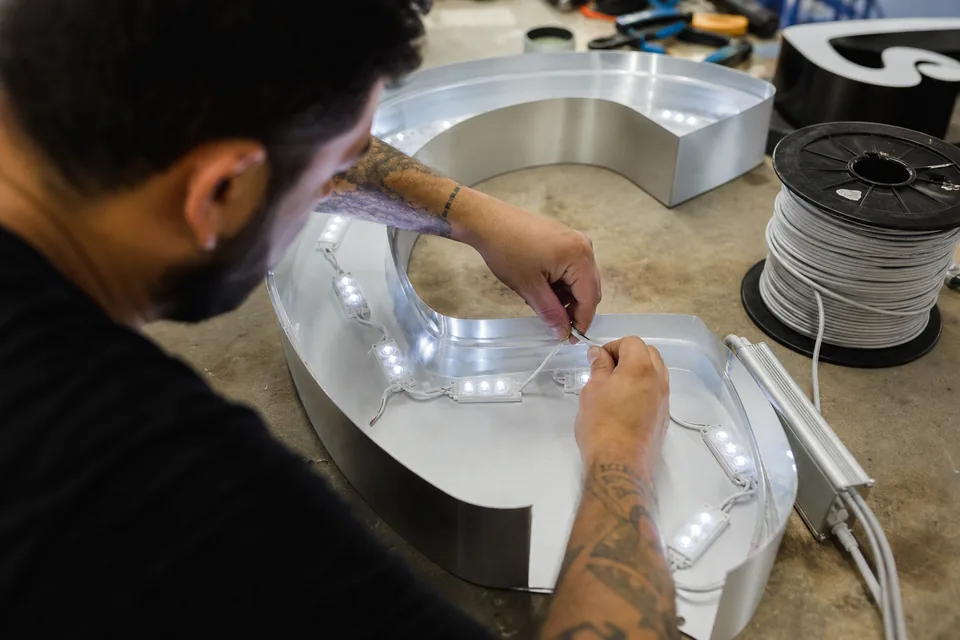
- LED module count and power supply size (60 W or 100 W) for the wiring bench
- Print files and notes attached to the job
- Change orders added to the same work order, so the floor never builds the old version
Fabricators tick off each step as they finish it. The job card on the board shows how far along each sign is without anyone walking the floor to ask.
Machine time per station
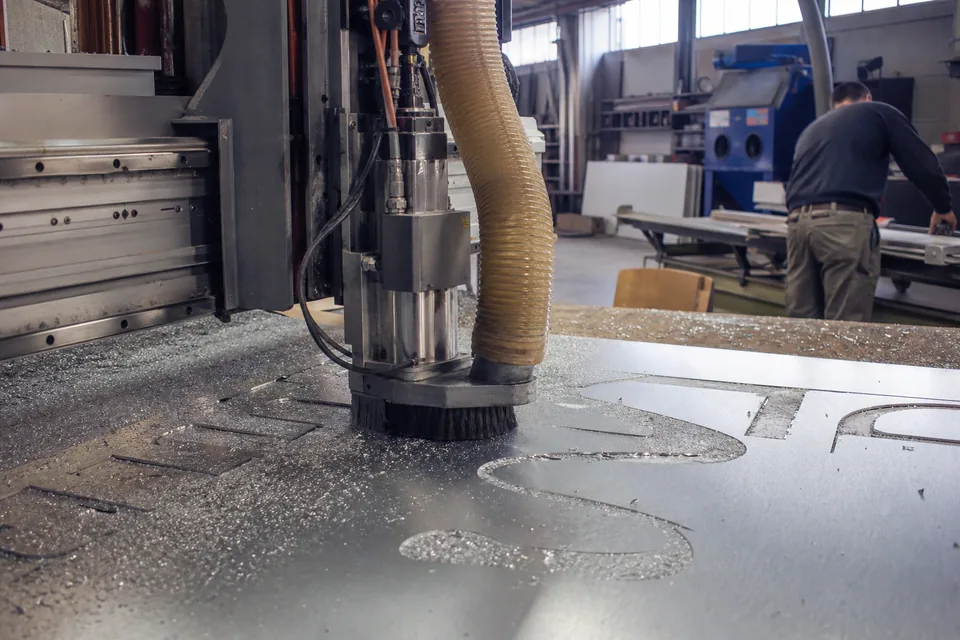
Your estimate already priced router, laser, printer and bender hours. In production those hours become a load on each station. You see how many hours are booked on each machine this week and which jobs are waiting.
| Station | What is tracked |
|---|---|
| CNC router | Cut hours for ACM, aluminum and acrylic, per job |
| Laser | Cut and engrave hours for acrylic faces and small letters |
| Wide format printer | Print hours and square footage per job |
| Channel letter bender | Bending hours for returns by letter count and stroke |
| Assembly and wiring | Labor hours for LED layout, power supplies and testing |
When the router is booked for the next three days, you know it before you promise a date. Operators log actual time on each step, which feeds job costing later. For print-heavy work, see print estimating software.
Purchase orders from the material list
Every estimate already knows how many sheets of ACM, feet of coil, LED modules and power supplies the job needs. On approval, SignEstimator compares that list with your stock and drafts a purchase order for what is missing.
- Grouped by supplier, so one order covers all jobs that need the same material
- Quantities rounded up to full sheets, rolls or boxes
- Unit cost from your material library, so the PO matches what you priced
- Status from draft to ordered to received, with the date
Receiving a PO adds the material to stock and marks the job ready for production.
Inventory stock levels that update with every job
Your material library holds stock levels next to unit cost and sheet size. When a work order is released, the material it needs is reserved. When the job is finished, the actual use is taken out of stock.
- See stock on hand, reserved and available for each material
- Set a reorder point and get a reminder when stock drops below it
- Track partial sheets and remnants so offcuts get used
- Import starting stock levels by CSV
Accurate stock means fewer rush orders and fewer jobs stuck waiting for one roll of vinyl.
Job costing that shows real margin per job
In this example, the estimate said the job would take 9 router hours and 14 sheets. The floor logged 11 hours and 15 sheets. SignEstimator shows that gap line by line, and the real margin next to the margin you quoted.
| Line | Estimate | Actual | Difference |
|---|---|---|---|
| ACM sheets 4x8 | 14 | 15 | 1 over |
| Router hours | 9.0 | 11.0 | 2.0 over |
| Bender hours | 3.5 | 3.0 | 0.5 under |
| Install crew hours | 12 | 14 | 2 over |
Example numbers, use your own rates. Over time you see which sign types run over, which stations are slower than you priced, and where your estimates need a new rate. Feed that back into your library and the next quote is closer. For how markup and margin differ, read markup vs margin for sign shops.
Built for a fabrication and install company
The Team plan covers up to 20 user seats, with roles for owners, estimators, sales, production and install. Single sign-on with Google and Microsoft keeps logins simple. An audit log records who changed a price, a work order or a job stage, and when.
Production and installation share the same job. When the work order is finished, the job moves to the install calendar, where crews and lifts are booked. Read more about sign installation estimating.
Frequently asked questions
[email protected]Production work orders, cut lists, machine time per station, purchase orders, inventory and job costing are part of the Team plan and the Multi-location plan.
No. When the customer approves the quote, the work order is built from the same estimate lines, including sizes, materials, LED count and machine time.
Yes. Each step on a work order has a time log. Operators can start and stop time from a tablet, and the hours feed job costing.
Material is reserved when the work order is released and taken out of stock when the job is finished. You can adjust the actual quantity if more sheets or coil were used.
Yes. Purchase orders are grouped by supplier and can be sent as a PDF. Receiving the order adds the material to stock.

Run production from the quote you already built
Team is $199 per month billed yearly ($2,388 per year) or $399 billed monthly, with 600 AI drafts per month and everything in Shop. Upgrading from Solo or Shop charges only the difference right away. There is no free plan. Try one estimate on the homepage first, then see the sign shop software overview.