
Sign shop job costing software that compares every job to its estimate
Sign shop job costing software compares what a job was estimated to cost with what it actually cost: sheets used, router and bender hours, install crew hours, then the real margin left. SignEstimator builds the estimate from your own rates, takes the hours your floor logs on each work order, and shows the gap line by line, so the next quote carries the correction.
Most sign shops know a job went badly only when the bank balance says so. The estimate said 9 router hours, the floor spent 11, and nobody saw it until the invoice was paid. Job costing closes that loop on every job instead of once a year.

Estimate this job
- Materials
- Machine time
- Install
- Pricing
Where the margin leaks on a sign job
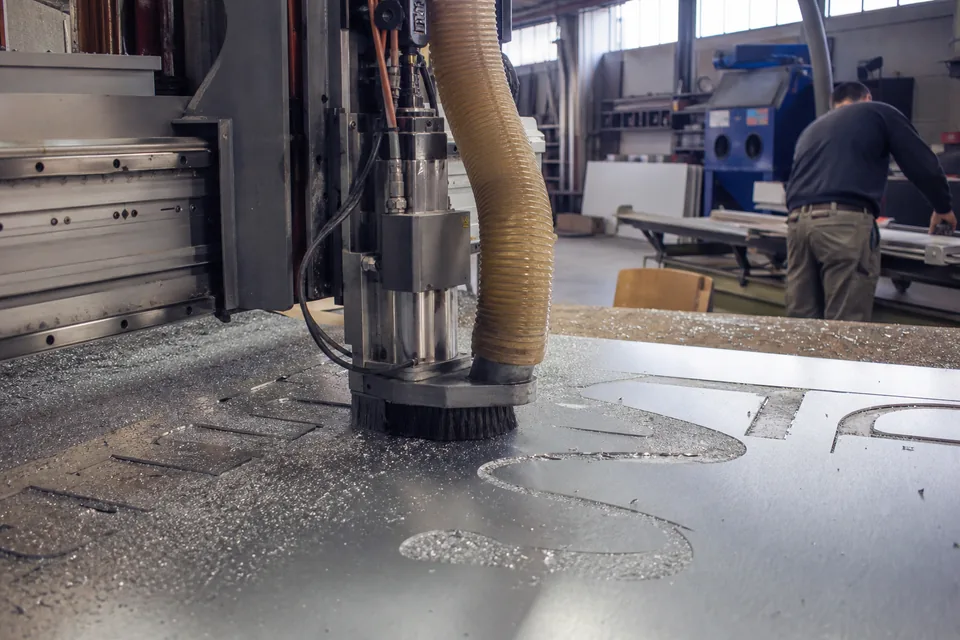
Estimates drift in the same few places. Router time on ACM and acrylic runs long because setup and nesting are guessed. Install hours slip when the lift is late or the wall is not what the photo showed. Sheet counts creep up by one when a cut is spoiled. Each leak is small, and together they take several points of margin.
- Router and printer hours, because machine time is the hardest line to guess.
- Install crew hours, because site conditions change.
- Sheet and roll waste, because one spoiled panel is a whole extra sheet.
- Rework and reprints that never get a line of their own.
- Overhead, which is charged on cost, so every overrun also grows the overhead share.
Without actuals you can only argue about which line it was. With them you see it. For the markup versus margin arithmetic behind the numbers below, read markup vs margin for sign shops.
One ACM cabinet job, estimate against actual
This is an example job with example rates: ACM sheets at $92, router at $65 an hour, bender at $55, install crew at $60 per person hour, $640 of LEDs and power supplies, overhead at 20 percent of cost and a 40 percent target margin. The quote went out at $6,851.00.
| Line | Estimate | Actual | Cost difference |
|---|---|---|---|
| ACM sheets 4x8 | 14 sheets, $1,288.00 | 15 sheets, $1,380.00 | $92.00 over |
| Router hours | 9.0, $585.00 | 11.0, $715.00 | $130.00 over |
| Bender hours | 3.5, $192.50 | 3.0, $165.00 | $27.50 under |
| Install crew hours | 12, $720.00 | 14, $840.00 | $120.00 over |
| LEDs and power supplies | $640.00 | $640.00 | none |
| Direct cost | $3,425.50 | $3,740.00 | $314.50 over |
| Overhead at 20 percent | $685.10 | $748.00 | $62.90 over |
| Total cost | $4,110.60 | $4,488.00 | $377.40 over |
| Margin on the $6,851.00 sale | 40.0 percent | 34.5 percent | 5.5 points lost |
The customer paid exactly what was quoted, and the shop still made $377.40 less than planned. Nothing here looks like a disaster on the invoice. It shows only when estimate and actual sit side by side. If twenty jobs show router hours on ACM cabinets running about 22 percent over, you set the template to 11 hours, and the next quote prices that in without a debate.
Example numbers, use your own rates.
From estimate to actual cost in four steps
- 1 Build the estimate. Sign type templates price materials, waste, machine time, labor, install, lift, travel and permits from your own rates, and show cost and margin before the quote goes out.
- 2 Approve and release. The accepted quote becomes a job with a work order and machine time per station.
- 3 Log the actuals. Your team logs hours against each work order with a date and a note, from a tablet or desktop, and material use is recorded against the job.
- 4 Read the gap. Job costing sets actual against estimate for every line and shows the real margin next to the margin you quoted.
The work order and station side is described in sign shop production software, and crew and lift hours in sign installation estimating.

What the job costing view tells you
| Question | Where you see it |
|---|---|
| Did this job make the margin I quoted | Real margin beside quoted margin on the job |
| Which line ran over | Estimate, actual and difference for sheets, router, bender and install |
| Which sign types run over | Compare jobs of the same template over time |
| Which station is slower than priced | Machine time per station against the estimate |
| What rate needs changing | Feed the finding into your material and rate library |
Job costing is part of the Team plan and the Multi-location plan. Solo and Shop shops get the estimate, the overhead and margin preview and the branded quote, which is where most of the margin is decided.
Which plan includes job costing
Every plan has a flat price with seats included and no per-user fee. Yearly billing takes 50 percent off.
| Plan | Billed yearly | Billed monthly | Job costing |
|---|---|---|---|
| Solo | $24 per month | $49 per month | Estimate with overhead and margin preview |
| Shop | $74 per month | $149 per month | Estimate, CRM, QuickBooks Online and Xero export |
| Team | $199 per month | $399 per month | Work orders, hours logged per station, actual against estimate, real margin per job |
| Multi-location | $449 per month | $899 per month | Everything in Team with unlimited user seats |
There is no free plan. You can run one demo estimate on the homepage without an account, and every plan has a self-serve checkout. See the full lists on the sign estimating software pricing page. If you are weighing it against a shop management system, the shopVOX alternative page compares the per-user math, and sign shop software covers the whole shop. For what counts as a deductible business expense when you set overhead, the IRS guide to business expenses is the official source.
Frequently asked questions
[email protected]It is software that compares the estimated cost of a sign job with the actual cost: material used, machine hours, install hours and overhead. It then shows the real margin. SignEstimator does this on the Team plan, from hours logged against each work order.
Add actual materials, machine hours and crew hours at your rates, add overhead on that cost, then compare it with the sale price. In the example above, a $4,110.60 estimate became a $4,488.00 actual, and the margin fell from 40.0 to 34.5 percent.
Include rent, utilities, insurance, office wages, vehicles and software, spread over productive hours or as a percent of direct cost. The example uses 20 percent of cost. Compute your own from last year's books and revisit it twice a year.
Yes, if more than one person touches a job. A shop doing 20 jobs a month that loses 5 points of margin on a $6,851 average job gives away roughly $6,850 a month in profit. Even a solo shop gains from comparing estimated and actual hours on repeat sign types.
Job costing comes with the Team plan at $199 per month billed yearly and the Multi-location plan at $449. Solo and Shop include the estimate engine, overhead and margin preview, and branded quotes.
On the Shop plan and up, accepted quotes export to QuickBooks Online or Xero as invoices. SignEstimator does not connect to QuickBooks Desktop.
Find out what your last job really made
Pick a finished job, put its hours and sheets beside the estimate and read the gap. Then price the next one with the correction in the template.